
topics
CloudHealth recommends adding the following Azure Best Practice Policies for Financial Governance.
Budget and Cost Trend Monitoring
Set a budget for Azure and compare how your monthly spend is tracking with reference to that budget. CloudHealth customers can configure the policy to evaluate when MTD Actual Cost is within their budget, or when MTD Projected Cost is expected to exceed the budget.
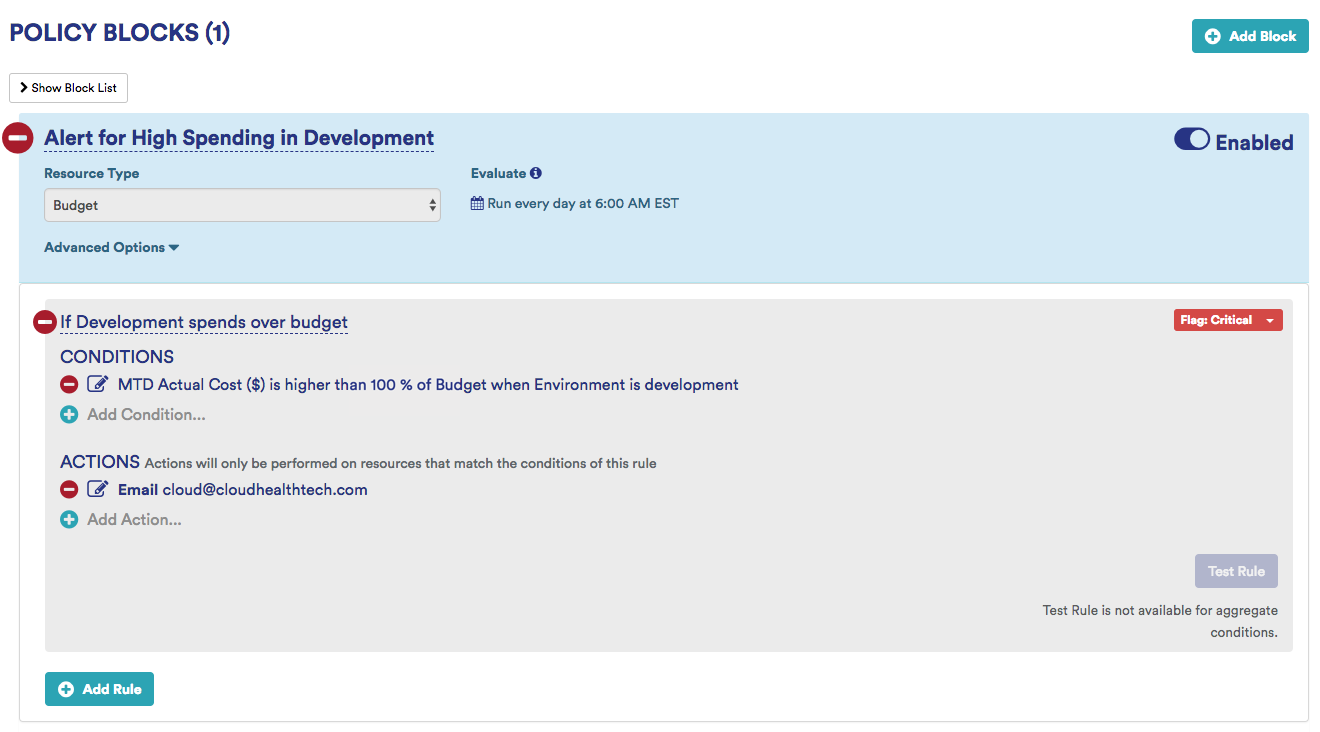
Example: If MTD Cost > 100% of budget, then send email notification
Sample Over Budget Policy: This policy alerts stakeholders when the projected cost for the month is expected to be above the originally specified budget by a certain threshold. Use it to track your actual spend in comparison to your allocated budget.
Variants
- Use Perspectives. For example, if projected MTD for Production spend is more than 100% of budget, send an email notification.
- Compare the MTD Actual Cost with the budget.
Other Sample Policies for Cost Trends
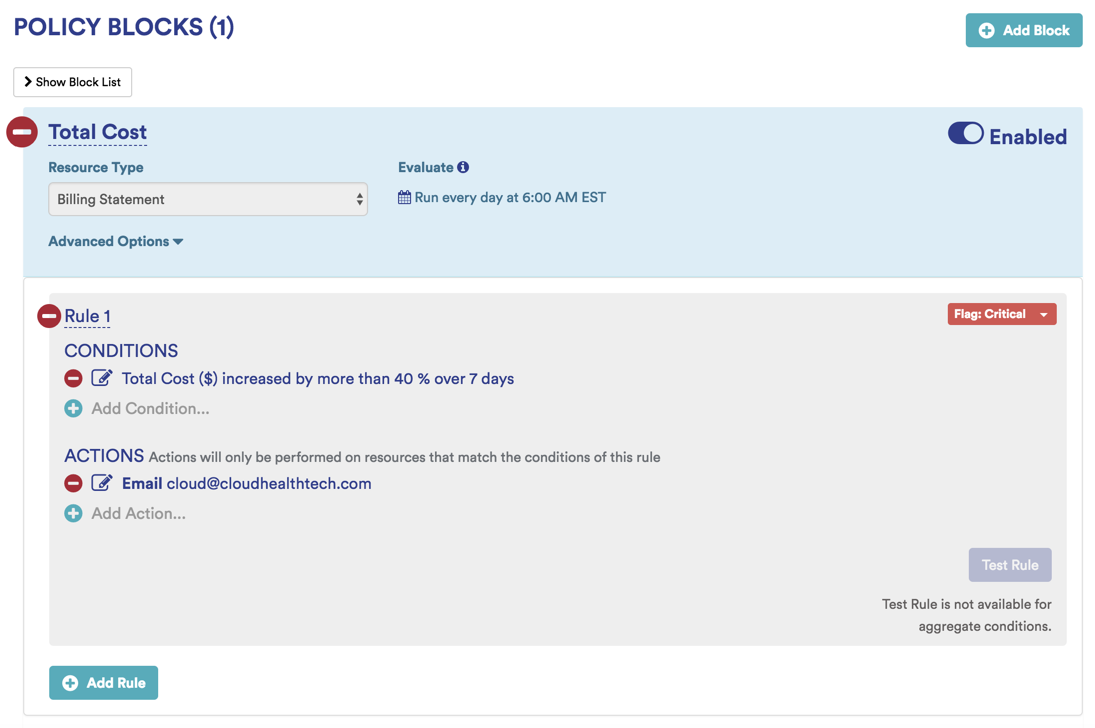
- If total cost increased by more than 40% in one week, send notification.
- If the total projected cost of your Azure assets will exceed the cost in the previous billing period.
- The total cost of your Azure assets has exceeded the cost in the previous billing period.
Identify Offending Services
You can have greater control over your costs by benchmarking the cost of each Azure service month over month. If you have a large number of assets, this task can get overwhelming. Therefore, we recommend managing by exception. Start by identifying those services that changed by more that 20%.
Sample Service Cost Increase Policy: This policy alerts stakeholders when the Total Cost of your Azure bill increases by more than a certain percentage within the specified time interval.
Variants:
- Limit this policy to certain Azure Service Types, for example, Storage Accounts.
- Leverage Perspectives. For example, send an alert when the Total Costs for the virtual machines increase by 20% over 1 month.
Identify Offending Groups
When your cloud costs are rising, it is critical to proactively identify cost variances by the offending functional business group.
Examples
- The monthly cost for any environment is projected to increase by more than 10% compared to the previous month.
- The actual monthly cost for any environment has increased more than 10% compared to the previous month.
- The projected monthly cost for any department will exceed the budget by more than 5%.
- The actual monthly cost for any department has exceeded the budget by more than 5%.
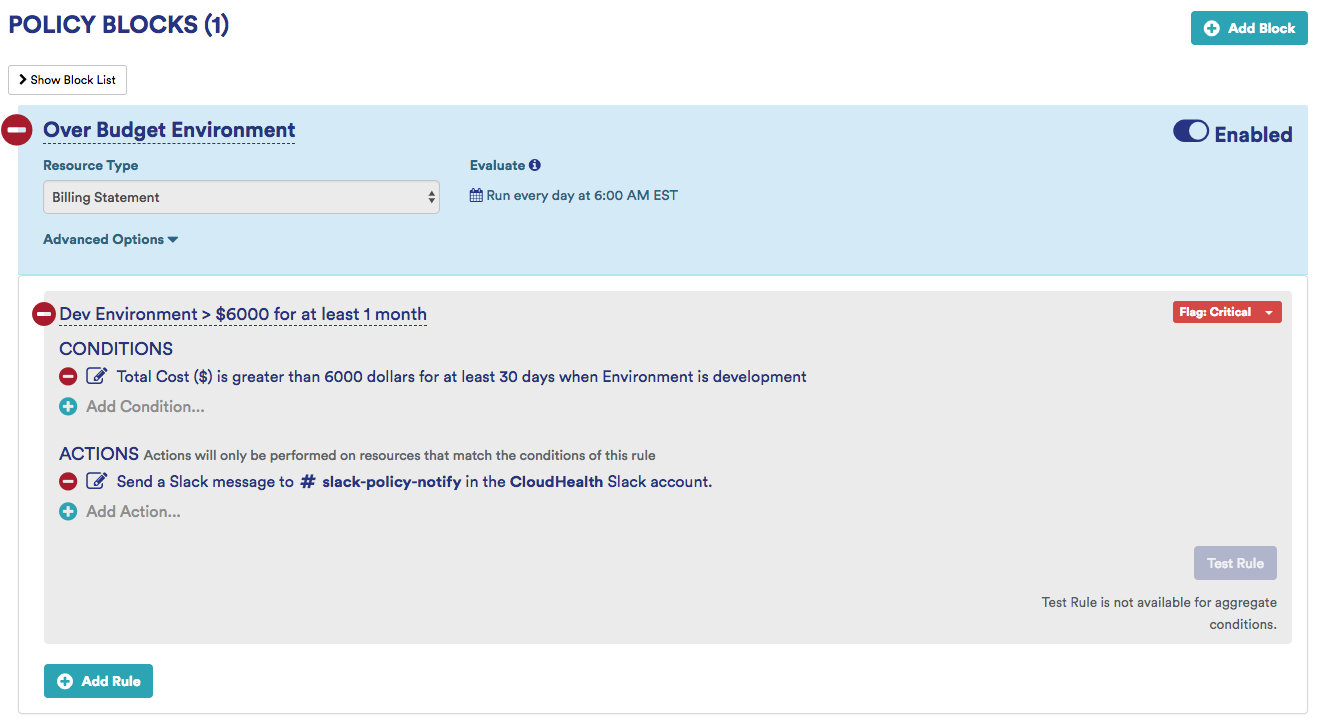
Sample Group Cost Increase Policy: This policy alerts stakeholders when the development environment costs exceeds a specific ($) amount. Use this policy to control or monitor month-over-month costs for a single service or across all services.
Virtual Machine Cost Monitoring
Monitor your virtual machine costs and send notifications when your VM costs increase or decrease by a certain amount or cross an absolute threshold.
Examples
- If monthly VM Total Cost crosses an absolute threshold of $6000.
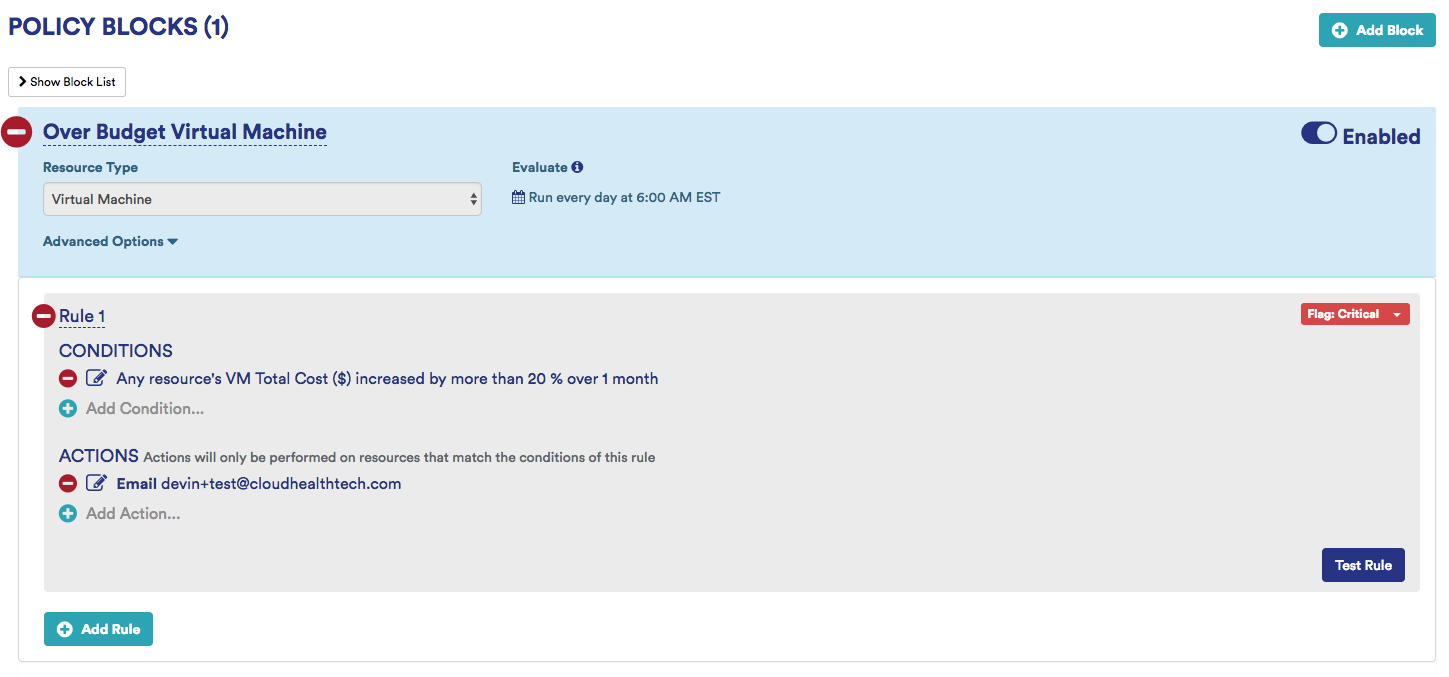
- If monthly VM Total Cost increases by 20%.
- If monthly VM Total Cost decreases by 30%.
Sample VM Over Budget Policy: This policy alerts stakeholders when the monthly VM Total Cost increases by a specific percentage.
Variant:
- Add different rules that capture other metrics such as utilization, configuration, or performance.
- Add a filter to limit the rule to a specific machine series or reservation type.